 Open resources
Take your library with you
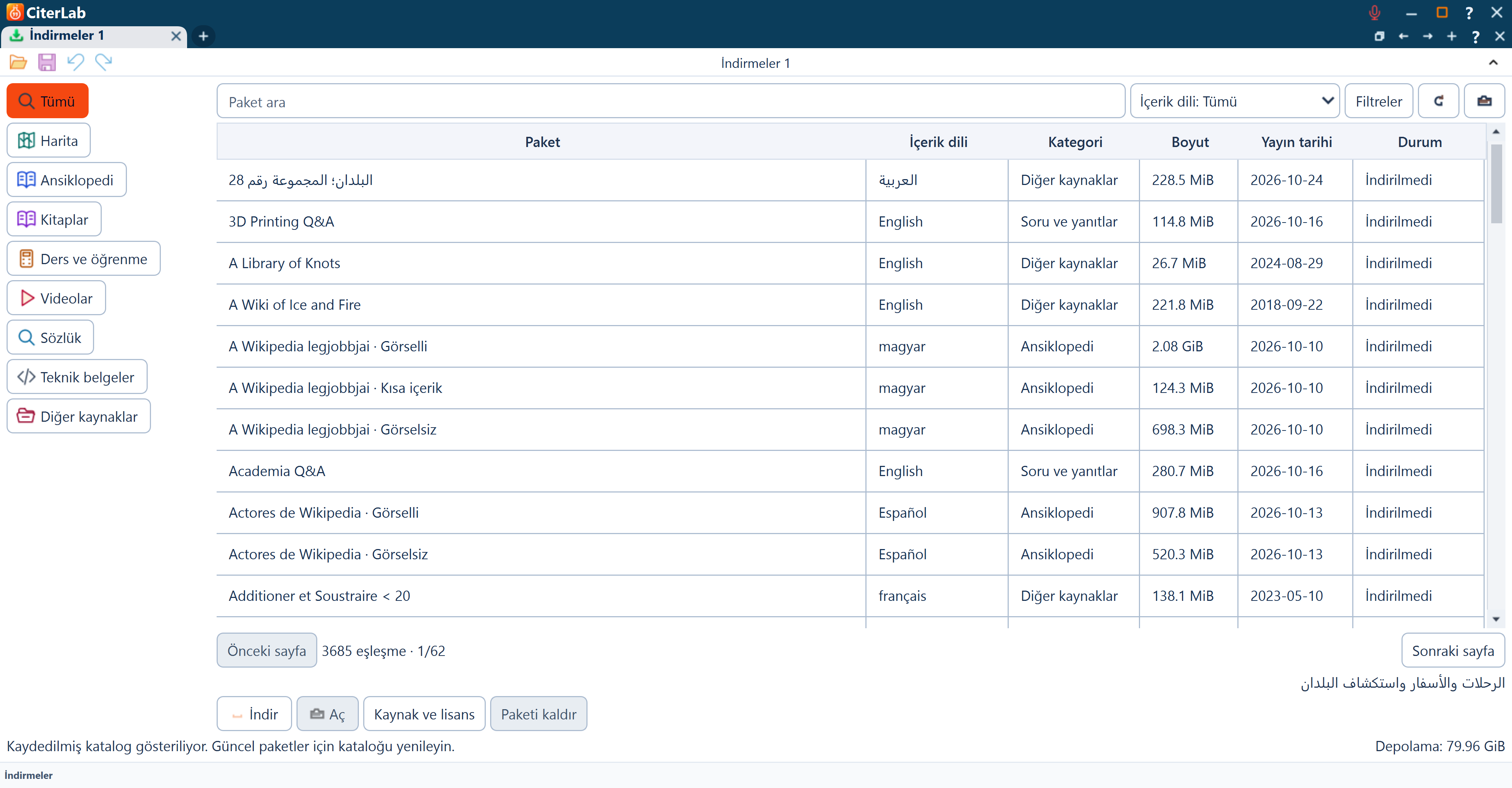
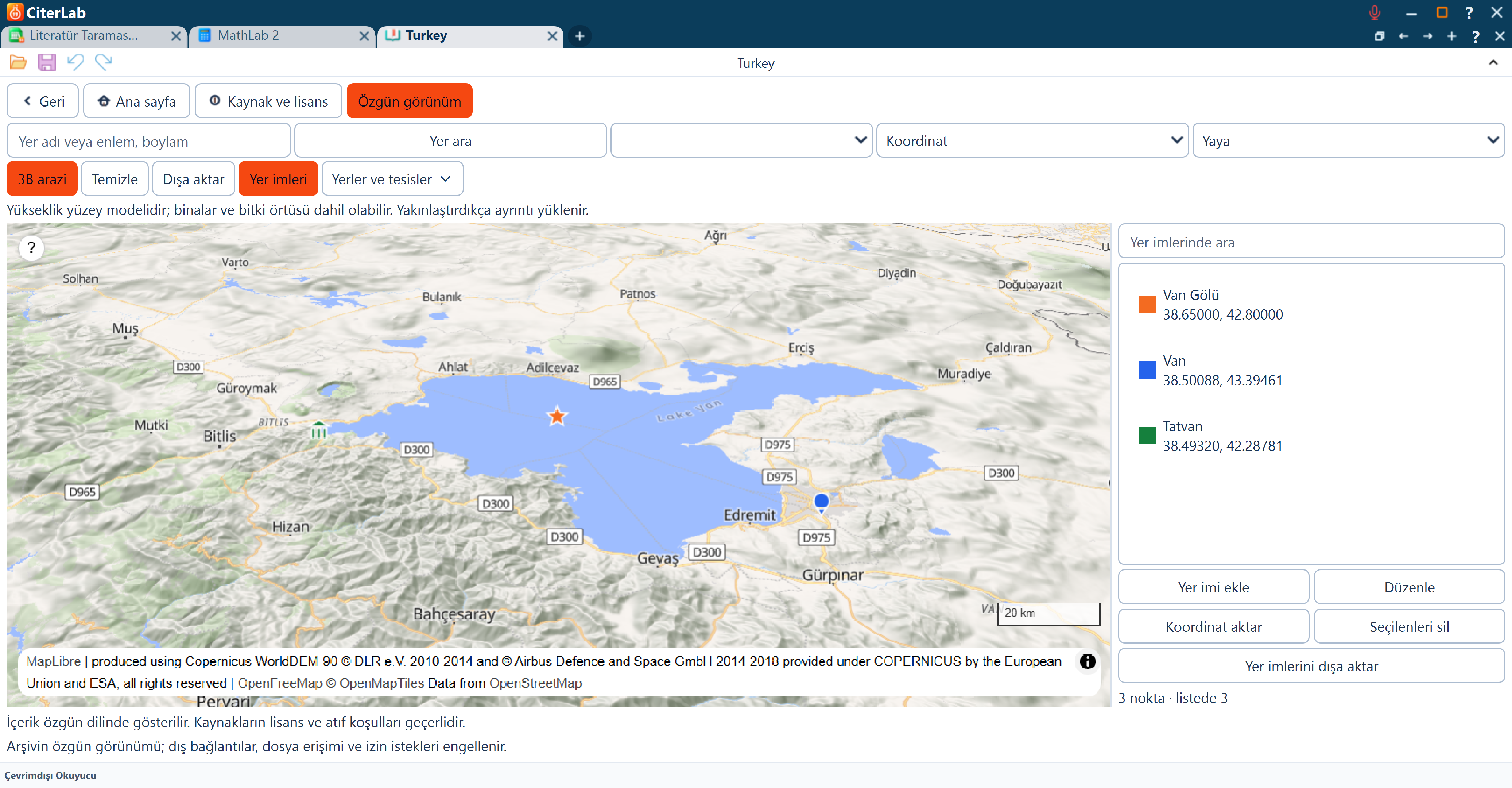
Download Wikipedia, open books, dictionaries and world map packages. Use them offline after the initial download.
 Open full-size screenshot
 CiterLabWindows desktop application
A multipurpose academic reader and analysis tool.
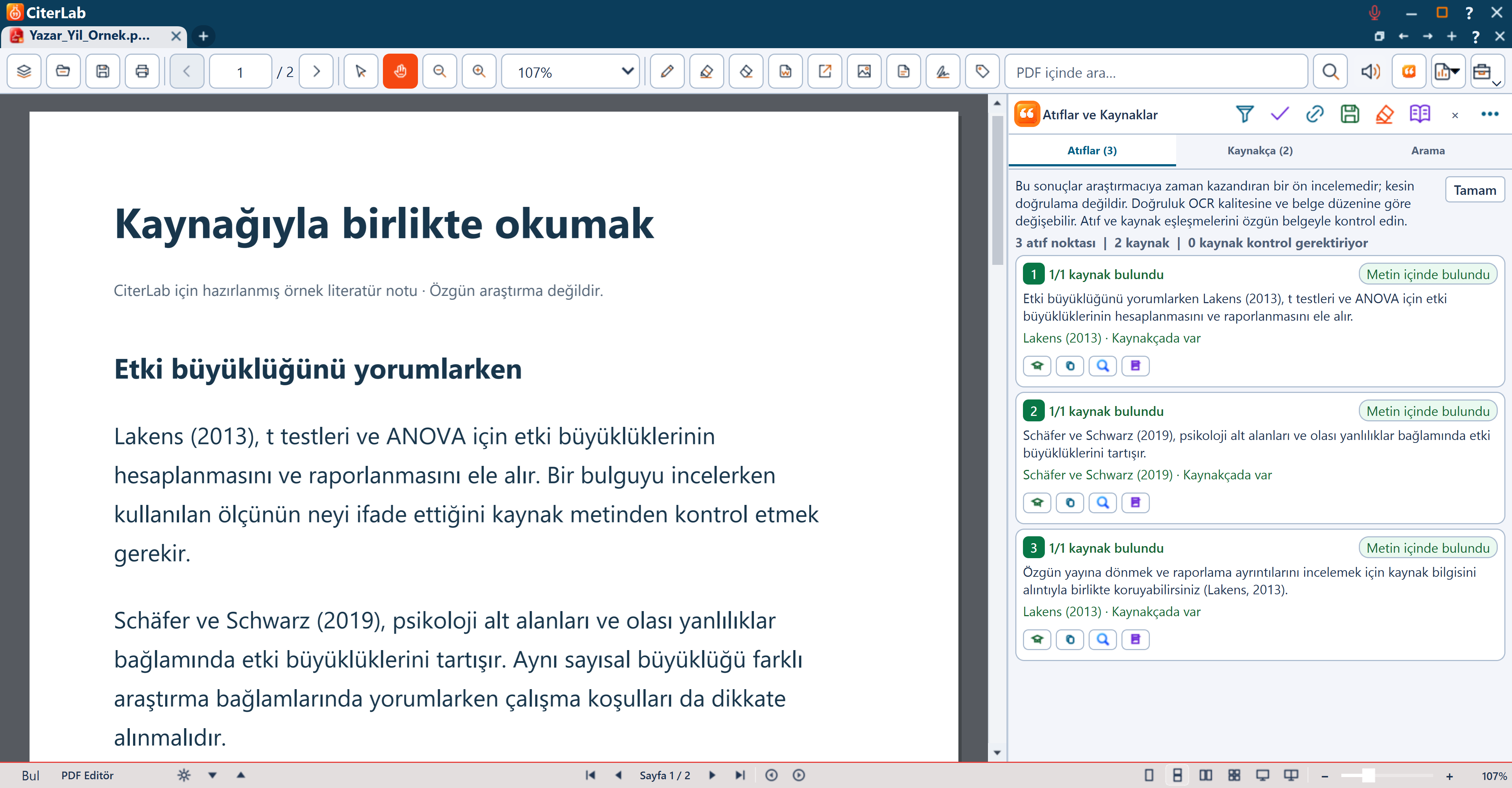
READING AND REFERENCES TOGETHER
Match in-text citations to the reference list. Find DOI and publication candidates and check source existence.
Format references in APA style; convert supported documents and split, merge or reorder PDF pages.
DOI and publication lookups use the internet. Review candidates against the original source before confirming. Conversion options depend on the file type.
Find sources, review documents and turn your data into a report.
Open resourcesDownload Wikipedia, open books, dictionaries and world map packages. Use them offline after the initial download.
Open full-size screenshot Document tools
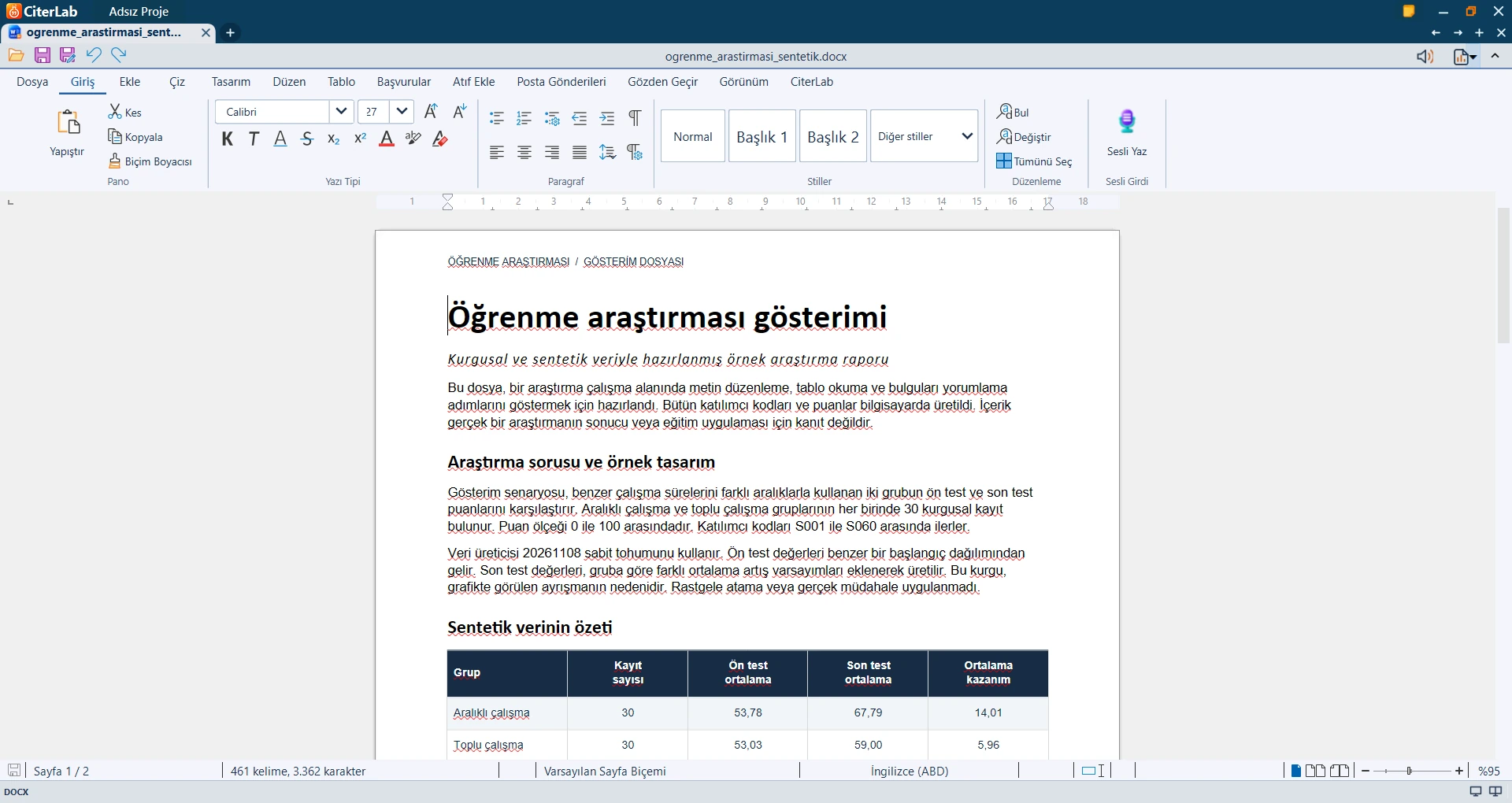
Annotate PDFs and work with DOCX, XLSX and PPTX files. Split or merge PDF pages and convert supported files.
 Open full-size screenshot
 Statistical analysis
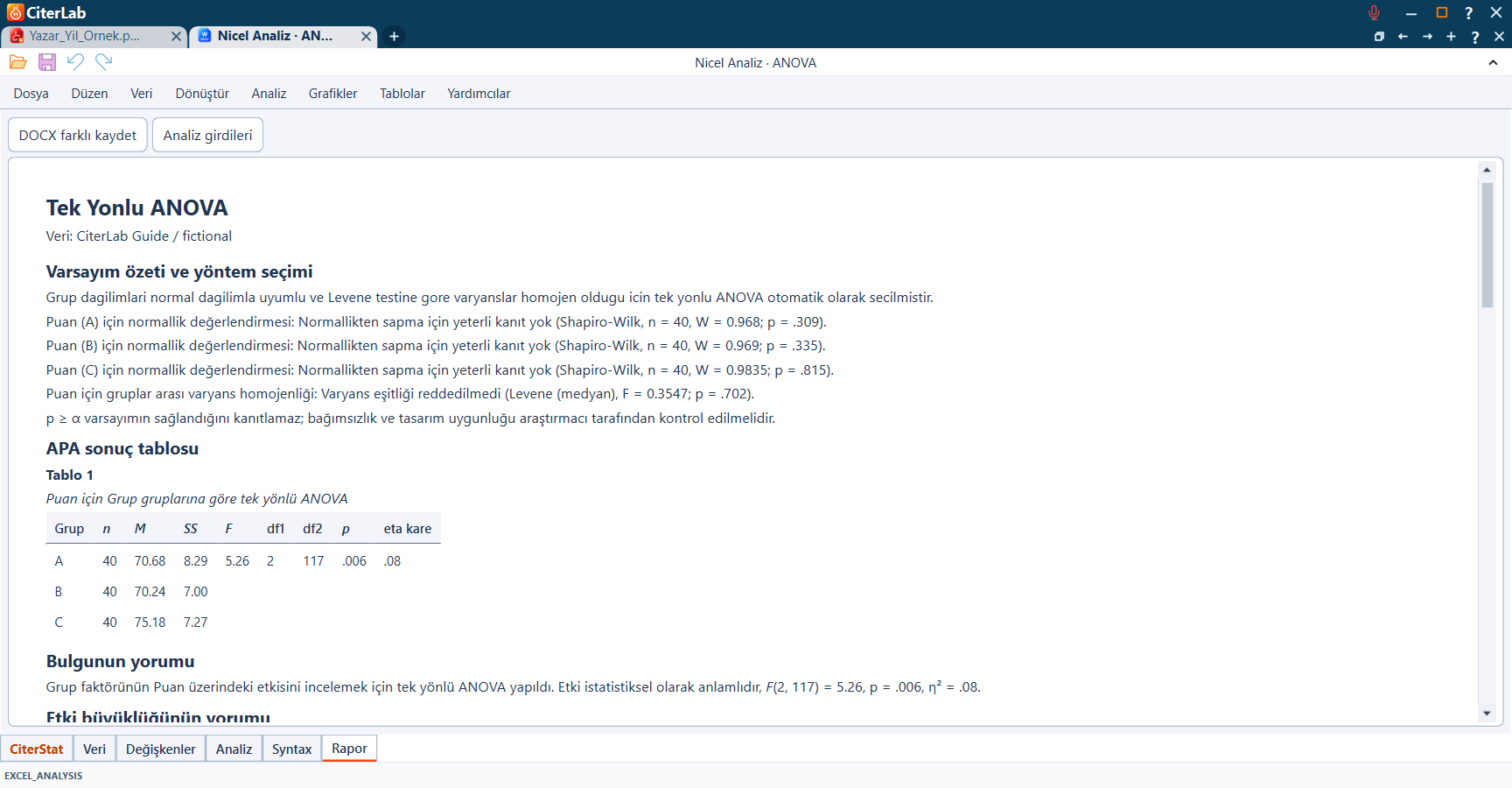
Run t tests, ANOVA, regression, EFA and CFA. Bring tables, charts and APA-style findings into your Word report.
 Open full-size screenshot
 Qualitative analysis
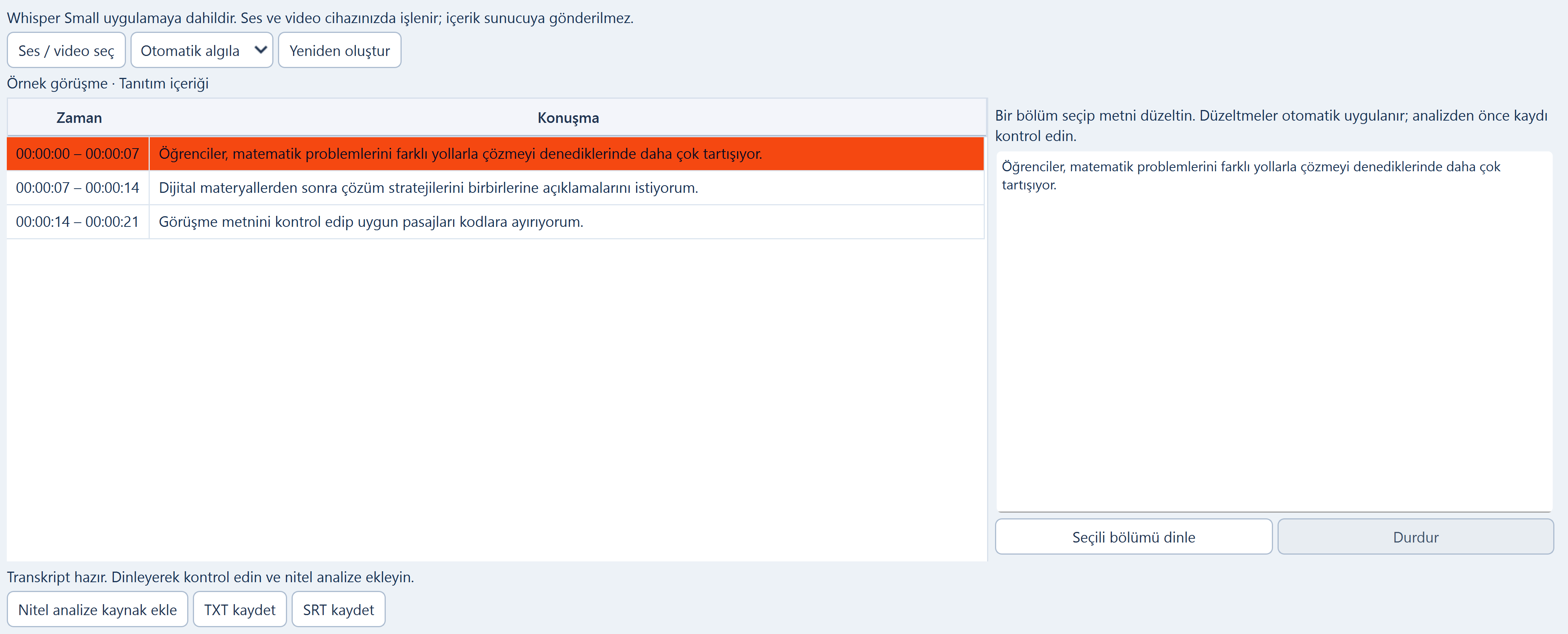
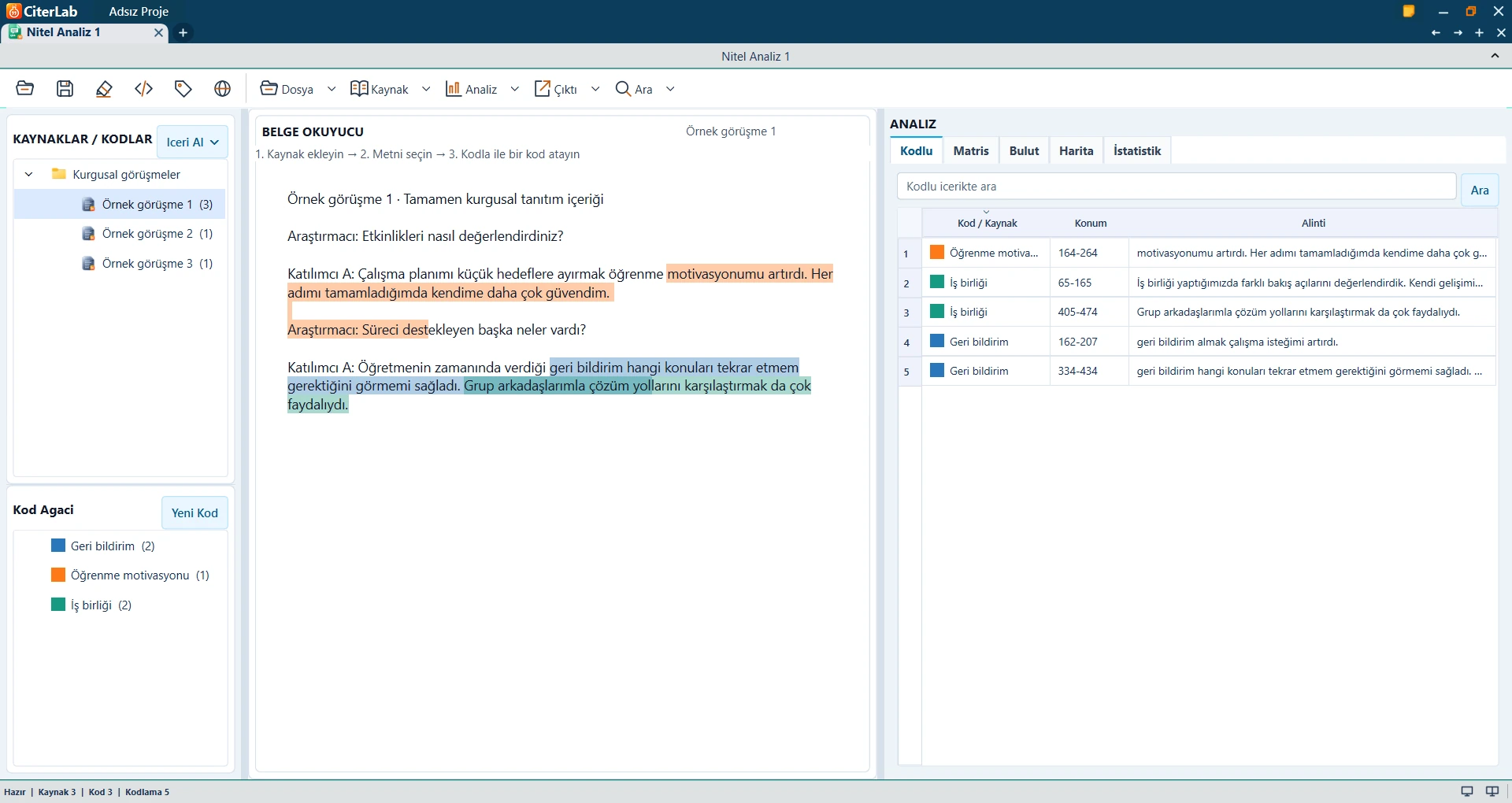
Download the transcription component to transcribe recordings locally. Search for text across folders, code passages and review themes.
 Open full-size screenshot
 Personal citation archive
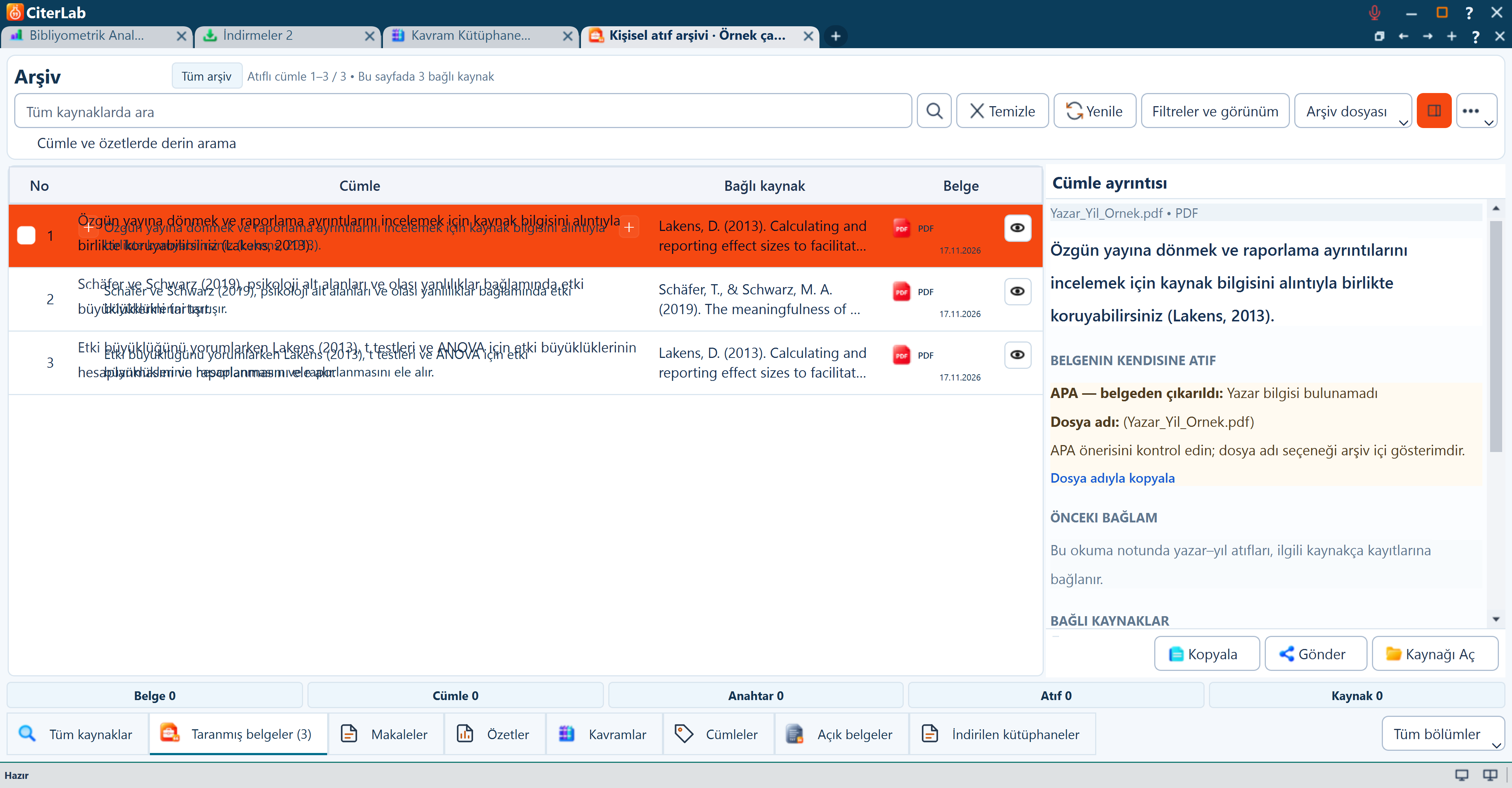
Save passages with citations from your scanned documents. Search the text and insert a selected passage into Word with its source.
 Open full-size screenshot
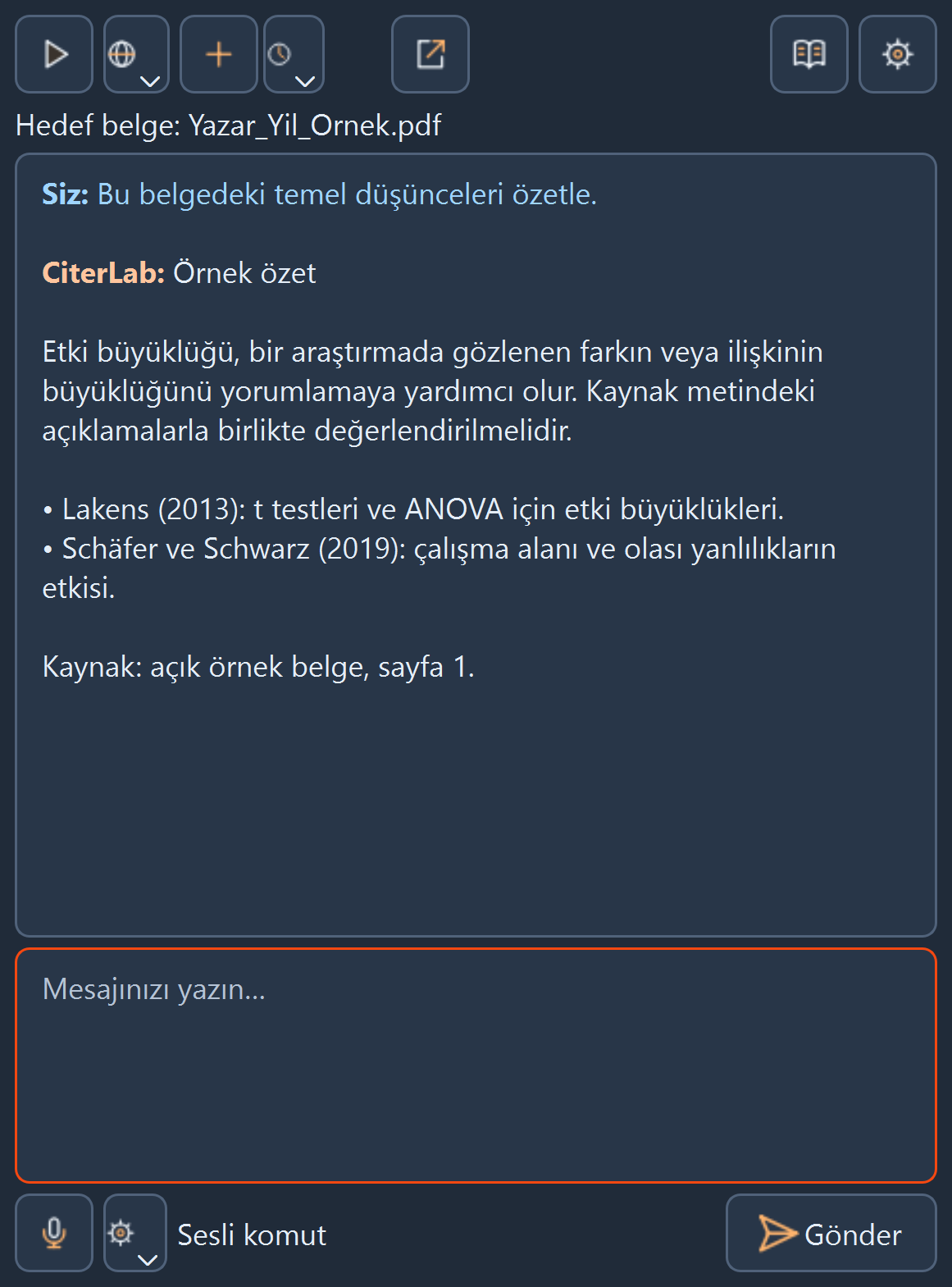
 Local AI
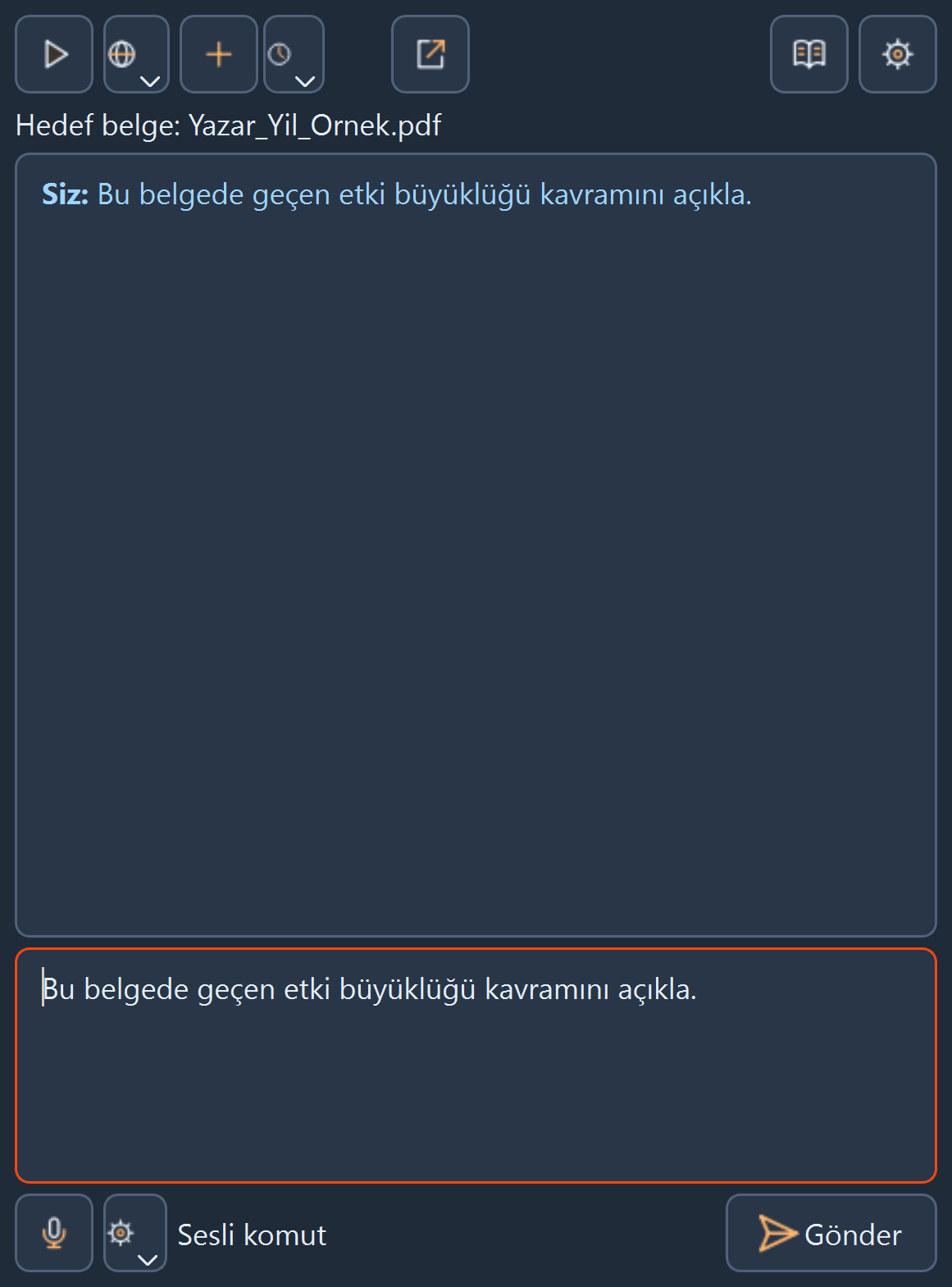
Use the downloaded model to summarize, translate or ask about documents. Listen with a separate local voice component. The local model has no per-token fees. CiterLab is available with a trial or license.
 Open full-size screenshot
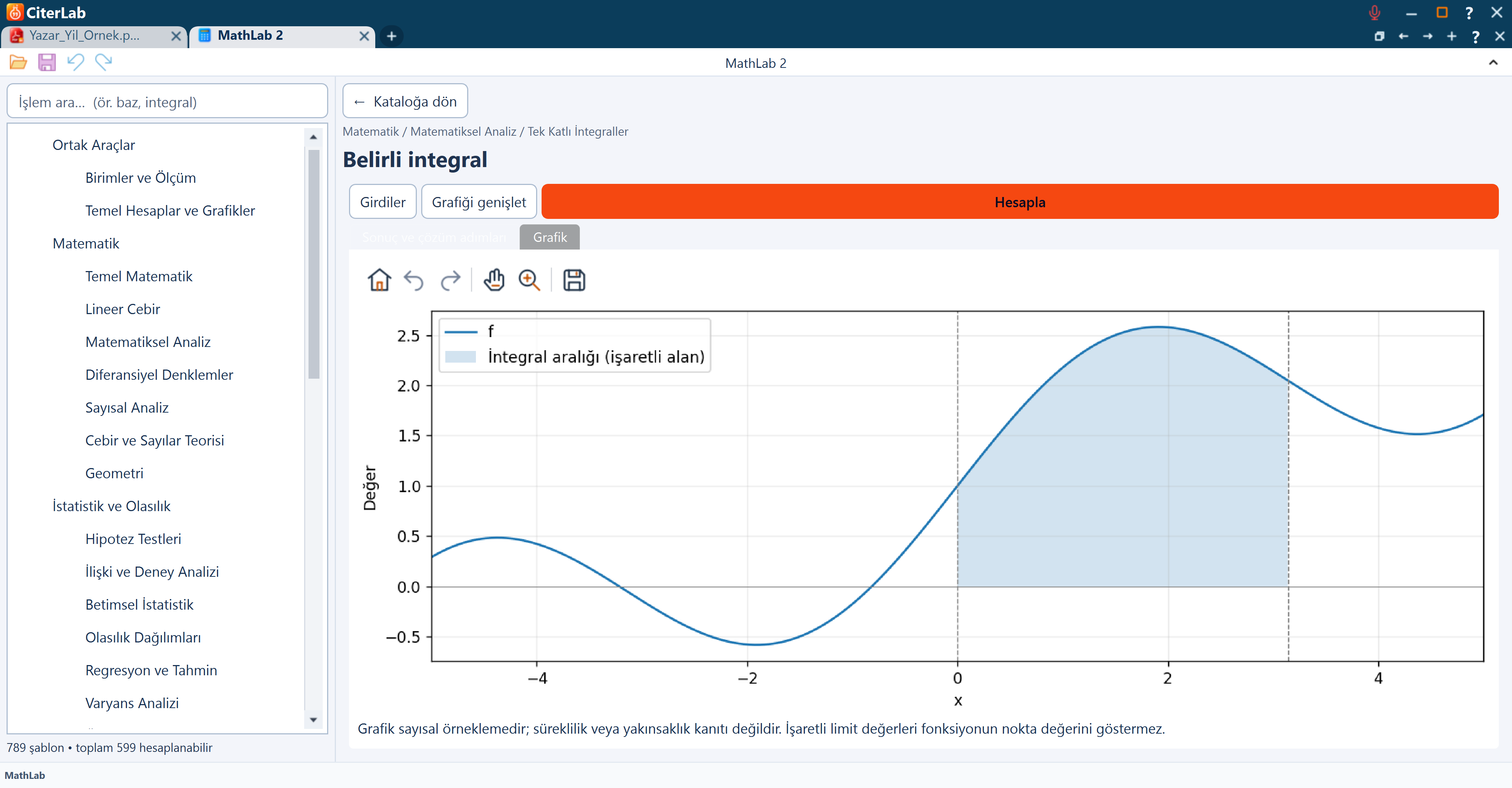
 Mathematics and charts
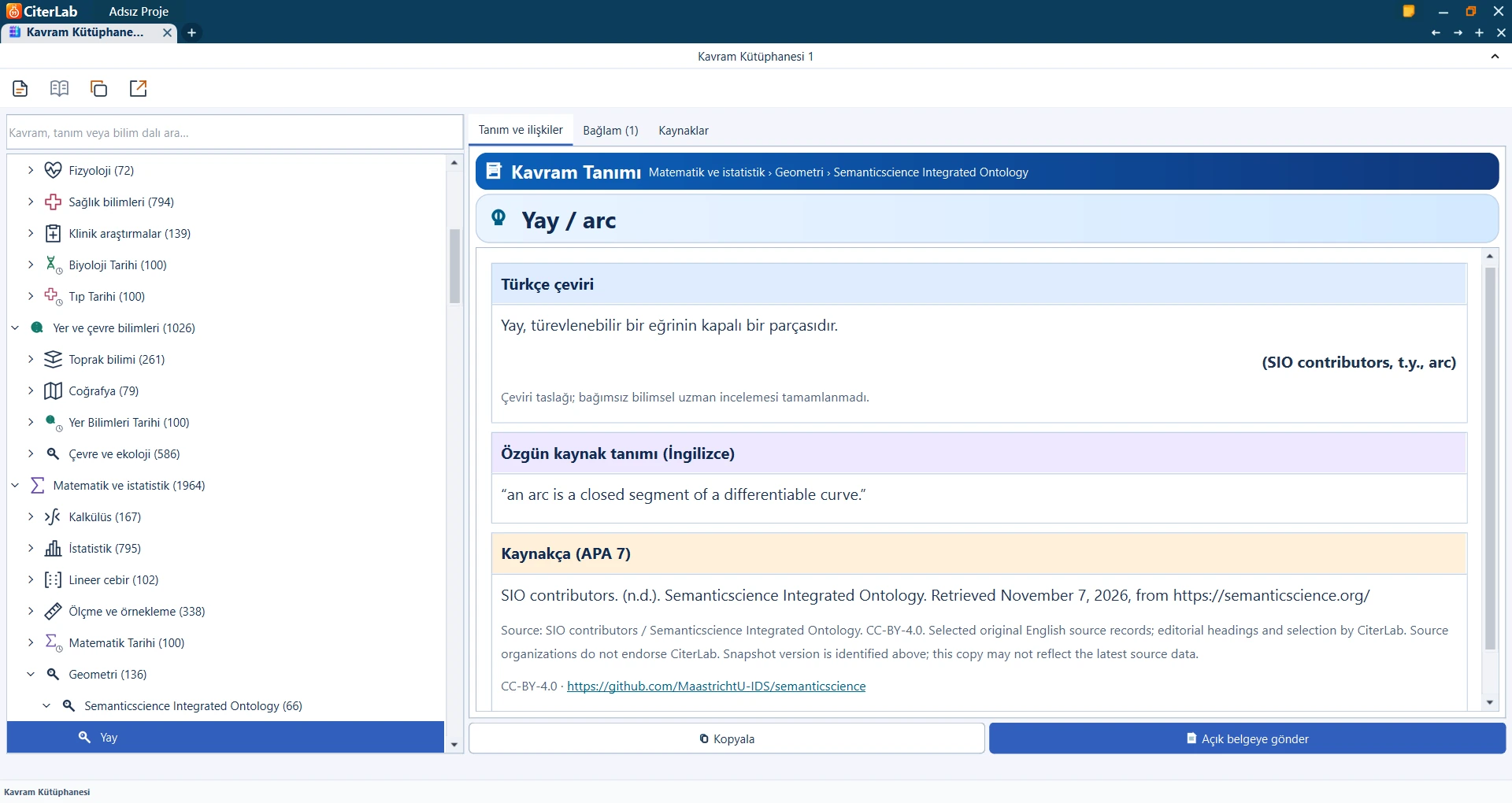
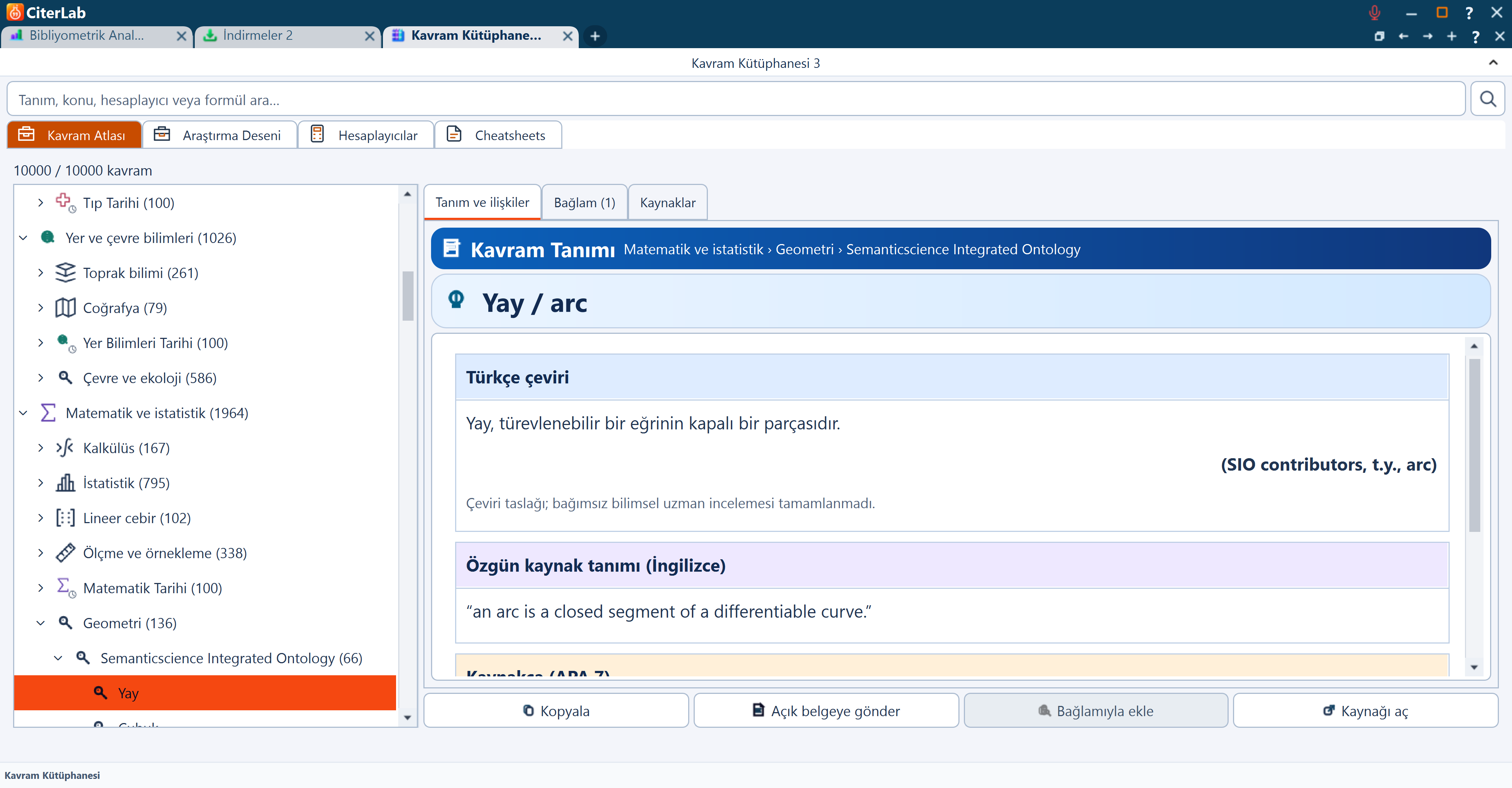
Write equations, plot functions and calculate with matrices. Explore thousands of scientific concepts with their sources.
 Open full-size screenshot
 Reference checking
Review citations with no match in the reference list and format your references in APA style. Look up possible DOIs online.
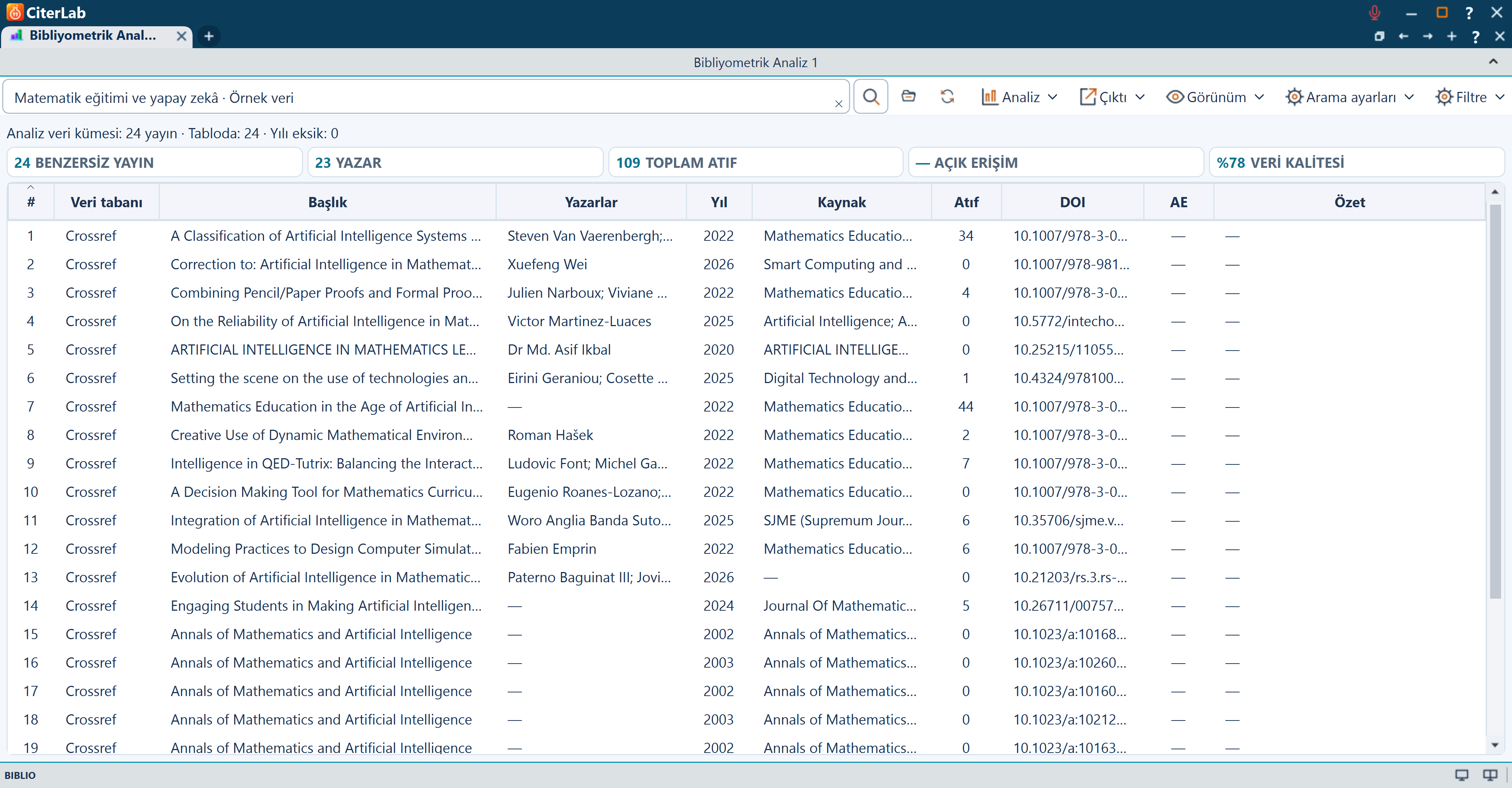
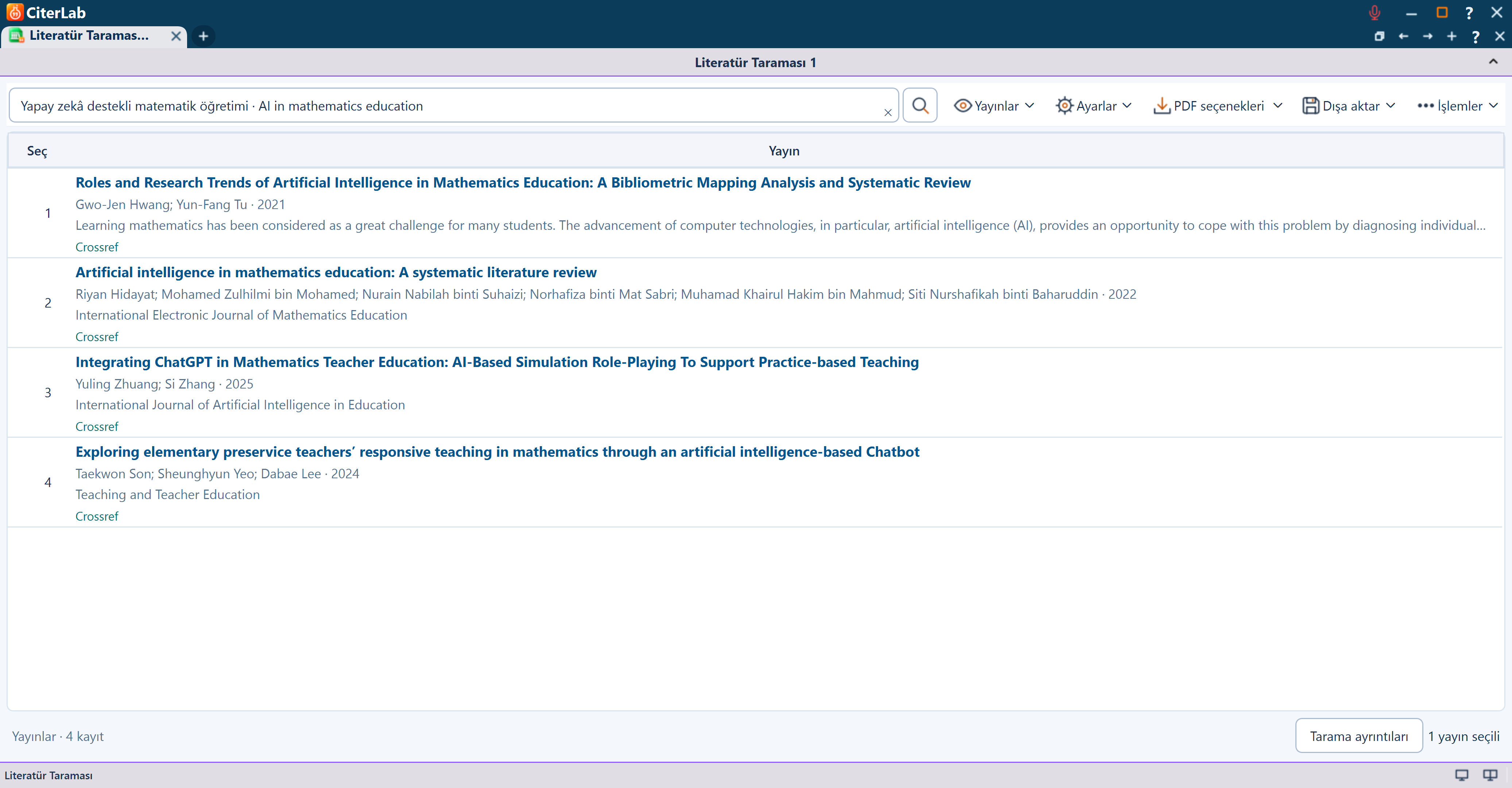
Open full-size screenshot Literature search
Search open databases online without an institutional VPN. Scan and add downloaded PDFs to your personal archive in one step. Coverage and access depend on the provider.
 Open full-size screenshot
Screenshot from the CiterLab application
Explore research workflowsYOUR RESEARCH, YOUR WORKFLOW
Choose a task. Follow genuine CiterLab screens from your first step to an output you can use.
READ · LISTEN · KEEP THE SOURCE
Open your PDF and view in-text citations alongside its references. Look up DOI candidates, format reference entries in APA style and archive a selected quotation with its source details.
Open a document; use OCR when you need searchable text.
Compare citation matches and reference suggestions with the original publication.
Listen to the document, summarize with local AI or move a sourced quotation from your archive into your writing.
Find a quotation again together with the source it came from.
Explore the full-size screenFROM VARIABLES TO YOUR FINDINGS CHAPTER
Work with tools for t tests, ANOVA, correlation, regression, EFA/CFA and item analysis. Use the guide to consider assumptions, group roles and relevant post-hoc options for your research question.
Open your data and assign outcome and group variables to their fields.
Review assumptions and run the appropriate method and comparisons.
Review the APA-style table and findings text, then export an editable Word report.
Calculation, interpretation and report export form one workflow.
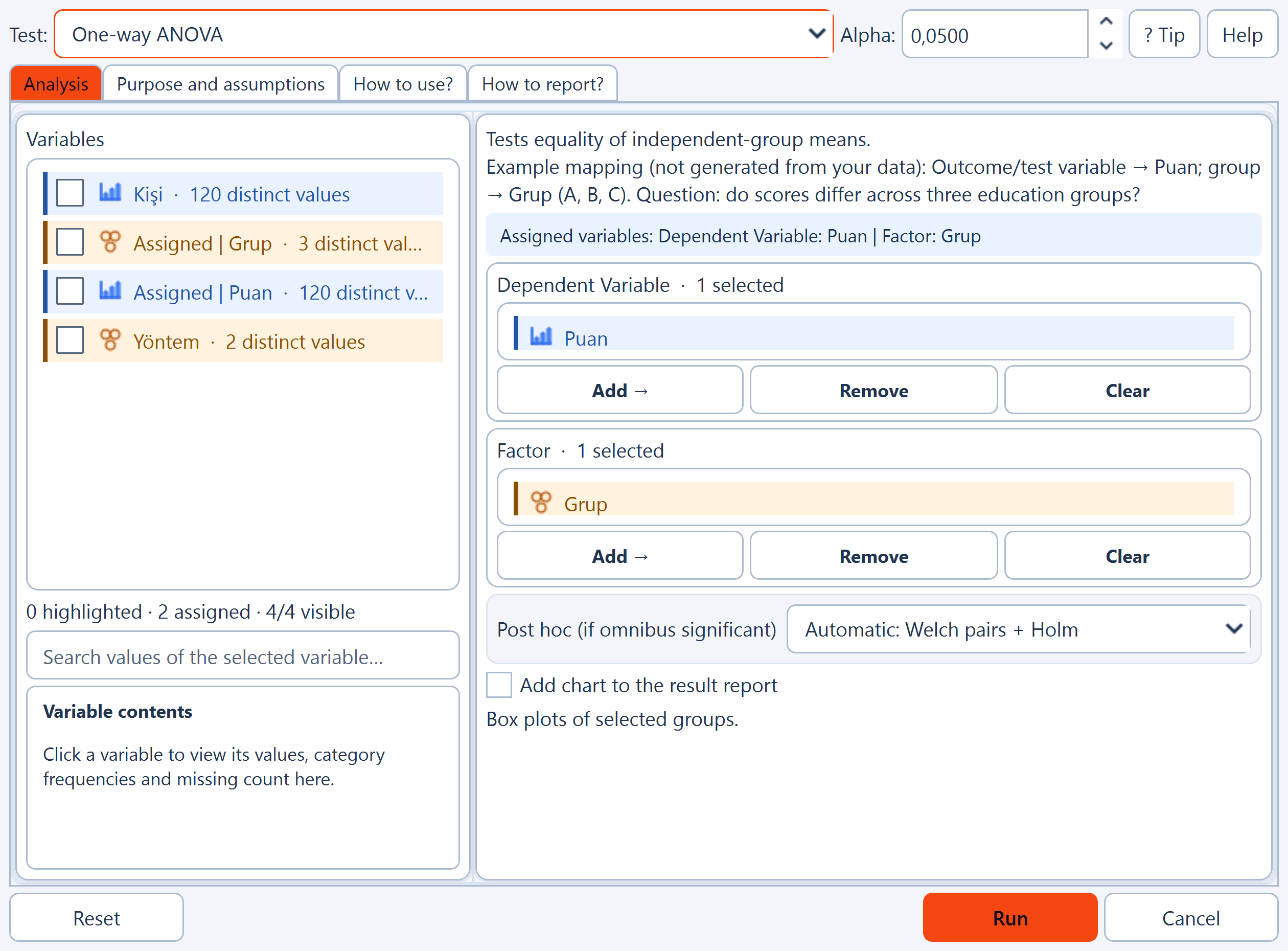 Explore the full-size screen
FROM AUDIO TO TEXT, FROM TEXT TO THEMES
Transcribe recordings with the installed local transcription component. Review the transcript, code passages and develop your qualitative work with notes, themes and matrices.
Import audio and compare the local transcript with the recording.
Code relevant passages and add research notes.
Review codes, themes and their source passages together.
Keep the connection between participants’ words and your findings.
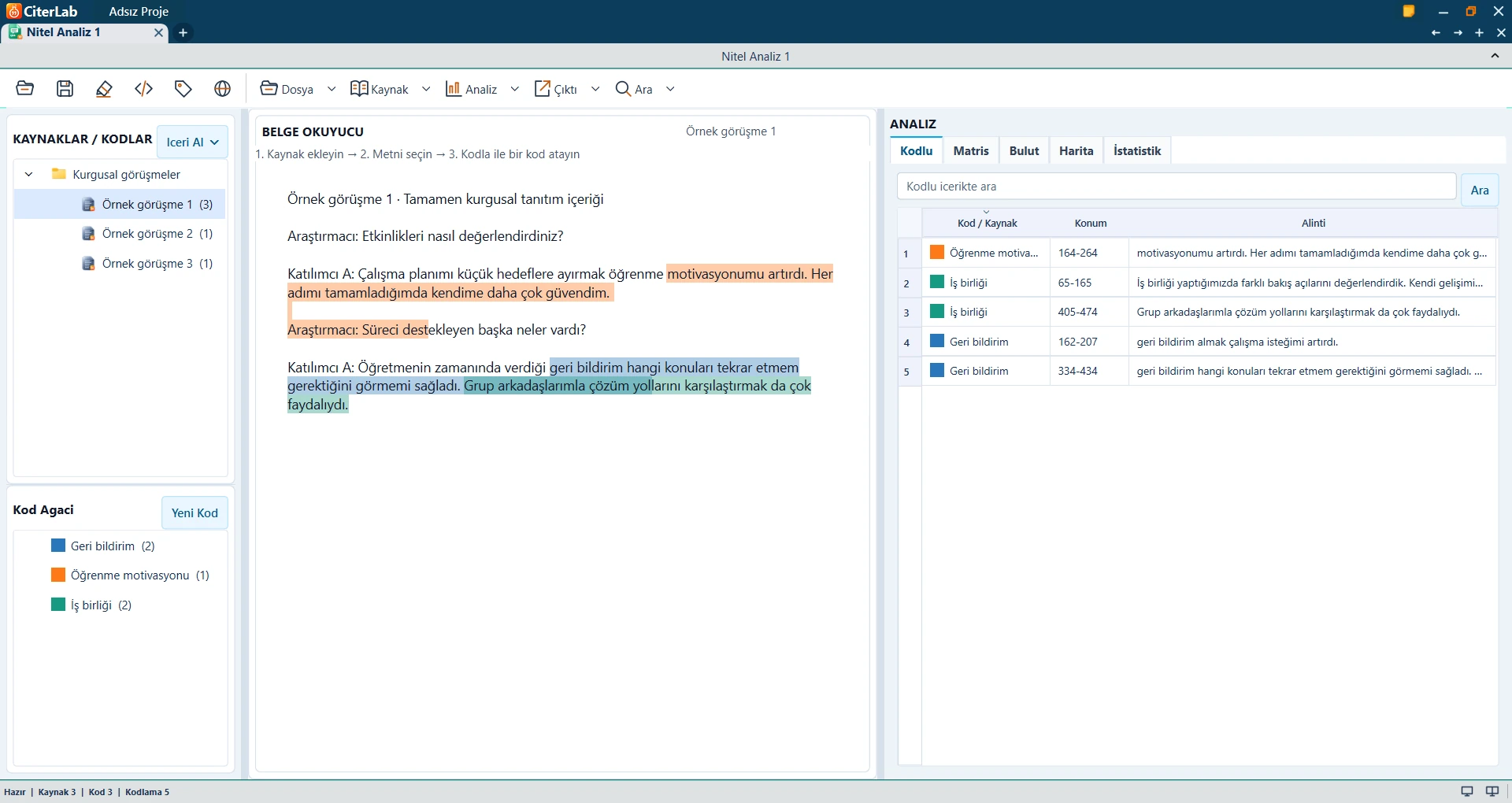 Explore the full-size screen
FROM DOCUMENTS TO A REVIEWABLE STUDY TABLE
Scan open documents for sentences reporting t tests, ANOVA and effect sizes. Use the installed local-model extraction option and archive findings by study topics such as gender, achievement or attitude.
Add documents and define the context of your study.
Check each sentence on its source page; review its topic, effect size and variance.
Approve suitable records for the study table and complete missing information before meta-analysis.
The source sentence stays visible; missing effect sizes remain marked as missing.
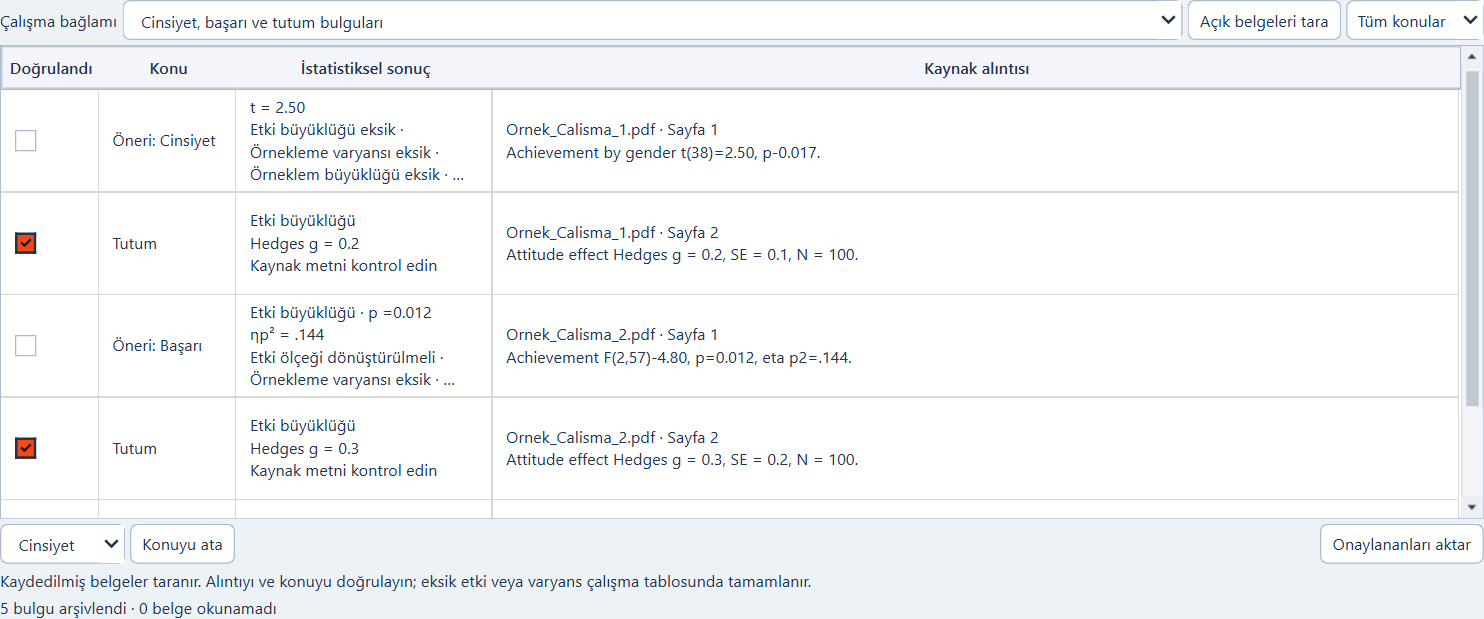 Explore the full-size screen
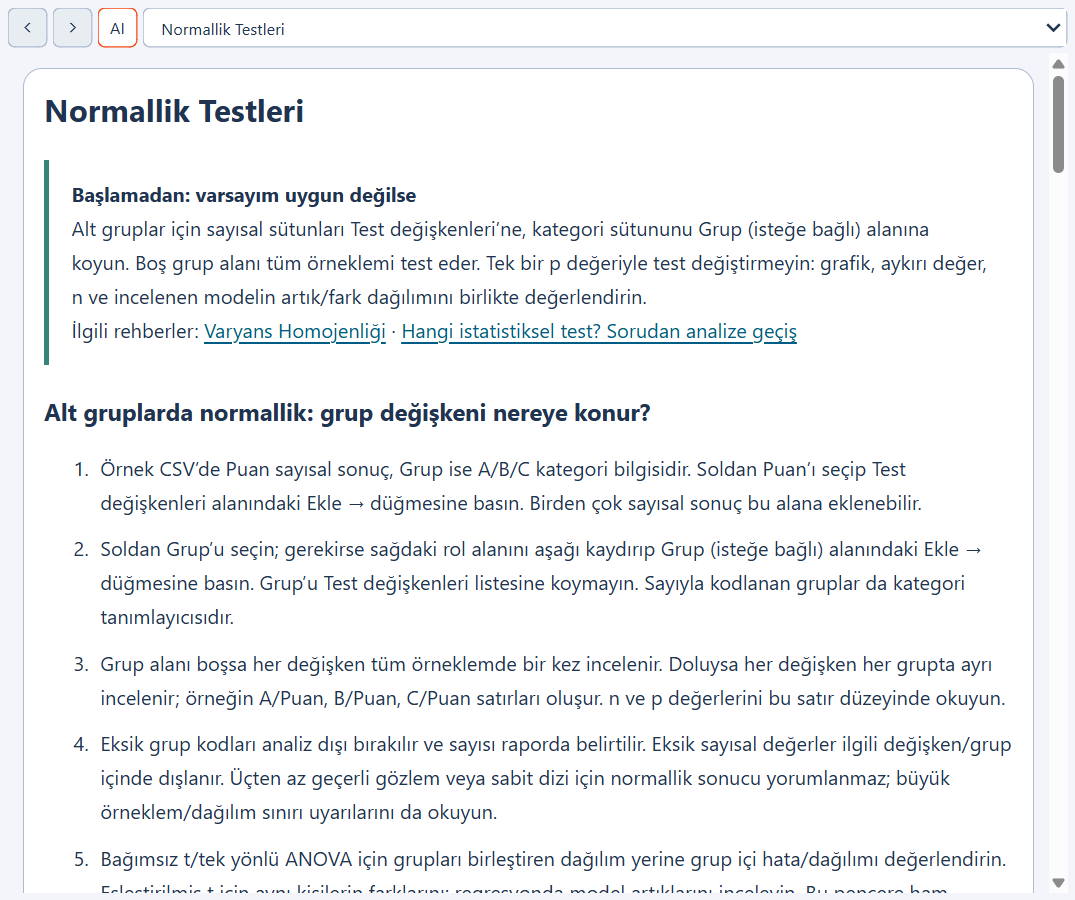
Real application screens · Sample content
LEARN AS YOU WORK
The ? button or F1 opens the relevant guide chapter for your current window. Follow screens showing which fields to fill, which buttons to click and how to move the output into your thesis.
For example: “Where should I put the group variable for subgroup normality?”Consider method choice alongside your research design and data.
Price and license
Review what the full license includes, how the trial works and whether your computer is compatible.
Requires Windows 10 version 2004 (build 19041) or later, or Windows 11, x64. No native macOS or Linux version is offered. Check your computer’s compatibility before purchasing.
Built for Windows. Local AI and library packages are separate downloads; storage requirements and speed depend on your components and computer. Optional Gemini use requires your own API key.
TRY 2,490
All taxes included · One-time payment · Perpetual license
Online sales are currently closed. You can get a free trial key in your account.
The 30 days start when you first confirm the verification code for this computer.
You can read PDF and DOCX documents. Support for opening, editing, converting and archiving files varies by format and tool. The download page lists the Windows system requirements.
Your personal archive and suitable local tools run on your computer; creating an archive does not require uploading documents to the cloud. Optional cloud AI shows the provider transfer information and asks for separate consent. Online searches also send the query to the relevant service, as described in the privacy information.
Test-selection and method-specific guides show menu paths, variable assignment, assumptions and example results. Use ? or F1 in the current window to open the relevant chapter and ask local AI usage questions about the screen. Research design and scientific interpretation remain your decisions.
The tools help identify possible matching, missing-information and formatting issues. They do not guarantee that every error will be found or that a source certainly exists. You remain responsible for checking suggestions, quotation context and the original publication. This check is not a certificate of originality or scientific accuracy.
The local engine can use a compatible GPU when available and continues on the CPU without one. Speed and availability depend on the model, document length, RAM and hardware. Download the model component in advance. Optional Gemini uses your own API key and an internet connection.
Sign in to your web account with Google or an email code and get your free trial key. Sign in to the app with the same email and key. Your 30 days start the first time you confirm the device code. Reinstalling or using another account does not restart the trial on that computer.
See the source. Make your decision. Review matches, analysis assumptions and AI outputs before using them. CiterLab supports your research; scientific judgment remains yours.
Explore the tools and sample outputs that matter to you, then decide whether the license fits your needs.